WhatsApp QR Code Generator Guide: How to Turn Packaging, Storefronts, and Events Into Instant Chats
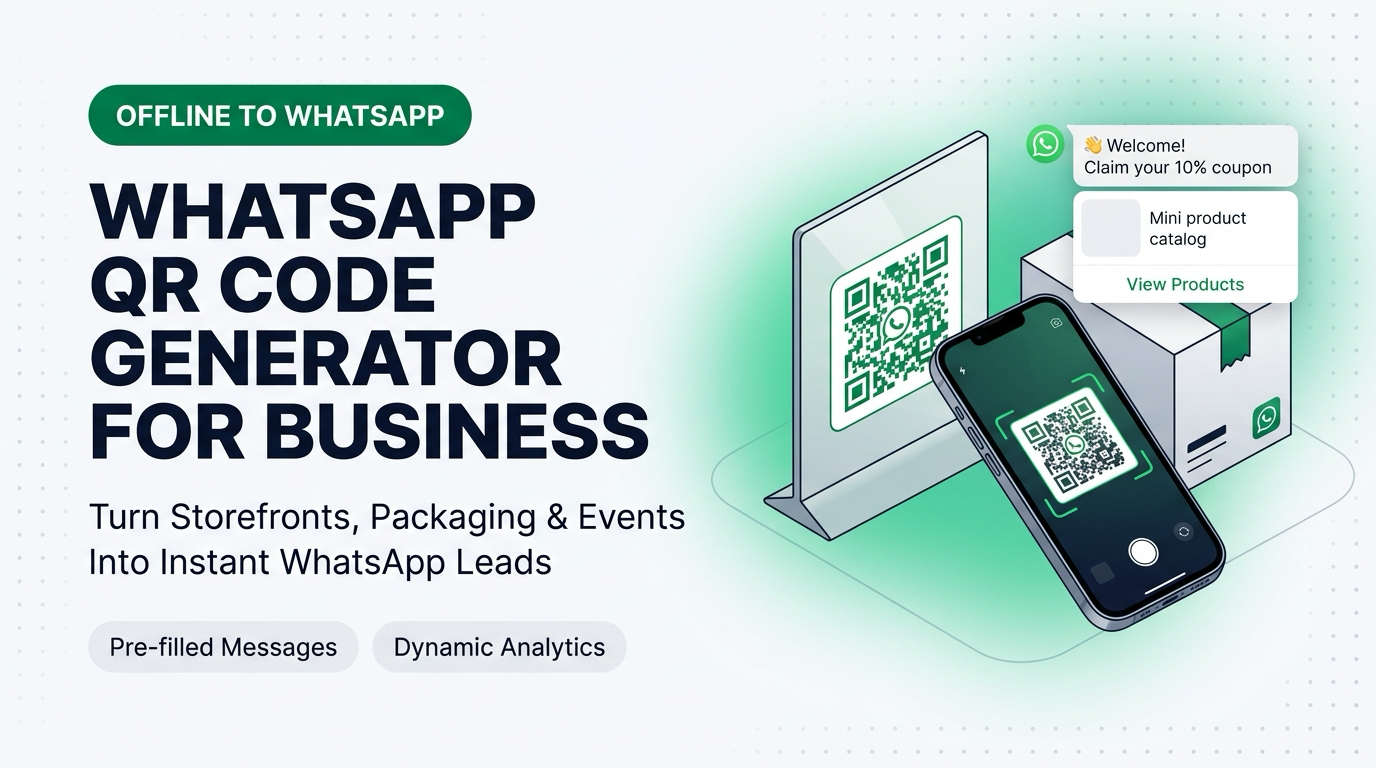
TL;DR: A WhatsApp QR code encodes an official
https://wa.me/click-to-chat URL and a pre-filled message into a scannable matrix barcode. When customers scan it with their smartphone camera on product packaging, retail counters, restaurant tables, or trade show banners, WhatsApp opens immediately with your message ready to send. You can generate and download high-resolution WhatsApp QR codes (with zero scan limits or expiration dates) using the free AIsoule WhatsApp Link & QR Code Generator.
Generate your print-ready WhatsApp QR code now: Visit aisoule.com/tools/link-generator/, enter your WhatsApp number and pre-filled message, and download your QR code in 1 click.
Get Started →Why Smart Brands Replace Web Form QR Codes With WhatsApp QR Codes
Traditional QR codes send people to a mobile browser page where they are asked to type their name, email address, and phone number into tiny form inputs over cellular data. More than 80% of people close the browser tab within 4 seconds.
When a QR code opens WhatsApp instead of a mobile web form, three things change immediately:
- Zero Typing Required: Because the QR code includes your pre-filled text parameter, the customer only taps the green Send arrow.
- Verified Phone Number Capture: As soon as they send that first message, your business receives their real, verified WhatsApp phone number and profile name automatically.
- Opt-In Consent Built In: Because the customer scanned your QR code and sent the first message voluntarily, you gain verifiable opt-in consent and open Meta's 24-hour free customer service window.

Featured Snippets & Quick Answers: WhatsApp QR Code Generator
How do I generate a WhatsApp QR code with a pre-filled message?
Open the free AIsoule WhatsApp Link & QR Code Generator, enter your phone number with country code, type the pre-filled message you want customers to send when they scan, and click Download QR Code.
Do WhatsApp QR codes expire?
No. Static WhatsApp QR codes generated from official https://wa.me/ links encode your phone number and message directly into the QR pattern. They never expire, have no monthly scan caps, and do not depend on a third-party URL shortener staying online.
Why is a custom wa.me QR code better than the native QR code inside the WhatsApp Business app?
The default QR code inside the WhatsApp Business app only supports one generic message for your entire account. Generating custom wa.me QR codes lets you create dozens of different QR codes for different products, store locations, and print flyers, each with its own unique pre-filled trigger phrase.
5 High-Converting Offline-to-WhatsApp QR Code Playbooks
Across the 7,800+ businesses using AIsoule, these five physical QR code placements consistently generate the lowest cost per lead:
- Marketplace & D2C Product Packaging Inserts (Warranty / Cashback): Marketplace sellers on Amazon and Flipkart never get the buyer's phone number. By placing a card inside the box that says "Scan on WhatsApp to Activate Your 1-Year Warranty & Get 15% Off Your Next Refill" with pre-filled text
Activate Warranty [SKU-104], brands convert marketplace buyers into direct repeat D2C customers. - Retail Checkout Counters & Digital Receipts: Replace paper bills by letting shoppers scan a counter standee with pre-filled text
Send my digital invoice & loyalty points. - Real Estate Site Hoardings & Newspaper Ads: Home buyers driving past a project billboard will not memorize a 10-digit number, but they will scan a QR code that says "Scan to Get 3 BHK Floor Plans & Price Sheet on WhatsApp Instantly." See more in our WhatsApp for Real Estate solution.
- Trade Show & Exhibition Booth Banners: Instead of collecting paper business cards in a fishbowl, print a large QR code on your booth backdrop (`Send me the Exhibitor Deck & Pricing`) so every booth visitor is immediately entered into your WhatsApp Drip Campaign before they walk to the next booth.
- Clinic Reception Desks & Diagnostic Reports: Patients scan at the front desk to receive automated appointment queue updates and PDF lab reports directly on WhatsApp.
How to Track Multiple Stores or Campaigns on One WhatsApp Number
You do not need to buy 10 different phone numbers to track 10 different retail branches or print campaigns. Instead, generate 10 separate QR codes in the WhatsApp QR Code Generator pointing to the same phone number, each with a distinct reference tag in the pre-filled message:

When the message hits AIsoule's Visual Chatbot Builder, the keyword router reads [STORE-BOM] vs [EXPO-DEL], applies the matching CRM tag, sends the location-specific catalog, and assigns the conversation to that branch's sales manager.
Print Sizing, Contrast, and Quiet-Zone Checklist for Designers
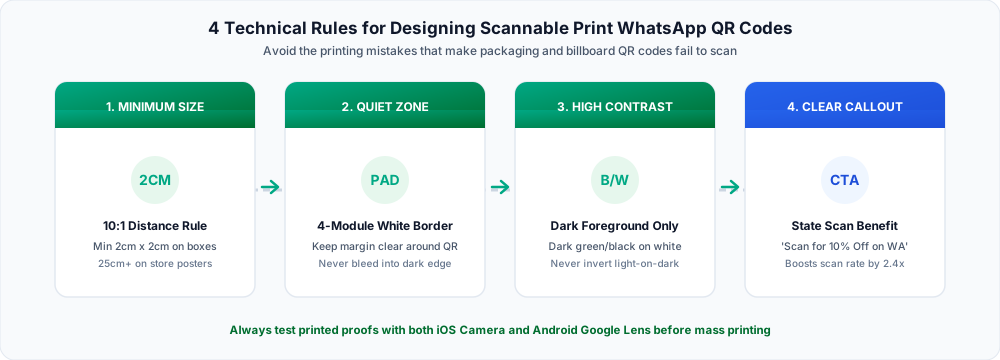
Before sending your WhatsApp QR code to your packaging printer or signage vendor, verify these four technical specifications:
Ready to generate your WhatsApp QR code? Create unlimited free QR codes at aisoule.com/tools/link-generator/ and connect them to an automated AIsoule chatbot at app.aisoule.com/signup.
Get Started →Frequently Asked Questions
Why does a shorter pre-filled message make a QR code easier to scan on small labels?
Every character in your URL adds data modules (black and white squares) to the QR matrix. Keeping your pre-filled trigger phrase concise (for example, 30 to 50 characters) produces larger, bolder squares that phone cameras can read instantly even on curved bottles or glossy boxes.
Can I print a white QR code on a dark background?
Avoid inverted QR codes (light squares on a dark background). Many older Android and iOS camera scanners fail to decode inverted patterns. Always place a dark green or black QR code inside a solid white rounded rectangle with a clear 4-module white border (quiet zone).
What happens if I change my chatbot reply later? Do I have to reprint my QR codes?
No! Because the QR code only triggers the initial incoming customer message (for example, Send Menu), you can update the automated PDF, discount code, or chatbot flow inside AIsoule as often as you want without ever reprinting the physical QR code.
Does Meta charge a fee when someone scans my WhatsApp QR code?
No. Scanning a QR code and sending the initial message is 100% free, and it opens a 24-hour customer service window during which all your automated chatbot replies are also $0.
Sources and implementation notes
Check current eligibility, rate cards and account requirements before implementation. Examples illustrate workflows unless linked to a documented customer case study. Migration timing and chat-history availability depend on the account and should be tested.
For pricing and setup details, see AIsoule plans and the help center.
You might also like
How to Create a WhatsApp Chat Link (wa.me) With Pre-Filled Messages for Ads, Instagram, and Websites
Learn how to create a WhatsApp chat link (wa.me) with pre-filled messages. Avoid E.164 formatting mistakes, track lead sources, and use our free WhatsApp Link Generator.
How to Choose a WhatsApp Marketing Platform in 2026: The 7 Technical Checks That Protect Your ROAS
Complete 2026 buyer
How to Send OTP Messages on WhatsApp (Faster Delivery & Higher Open Rates)
Learn how to send OTP messages on WhatsApp using the Business API. Compare WhatsApp OTP vs SMS, pricing, delivery rates, setup requirements, and best practices.
Enjoyed this article?
Get more WhatsApp marketing tips delivered weekly.