WhatsApp Chatbot Builder Guide: Designing Rule-Based Flows, AI Knowledge Bots, and Human Handoffs
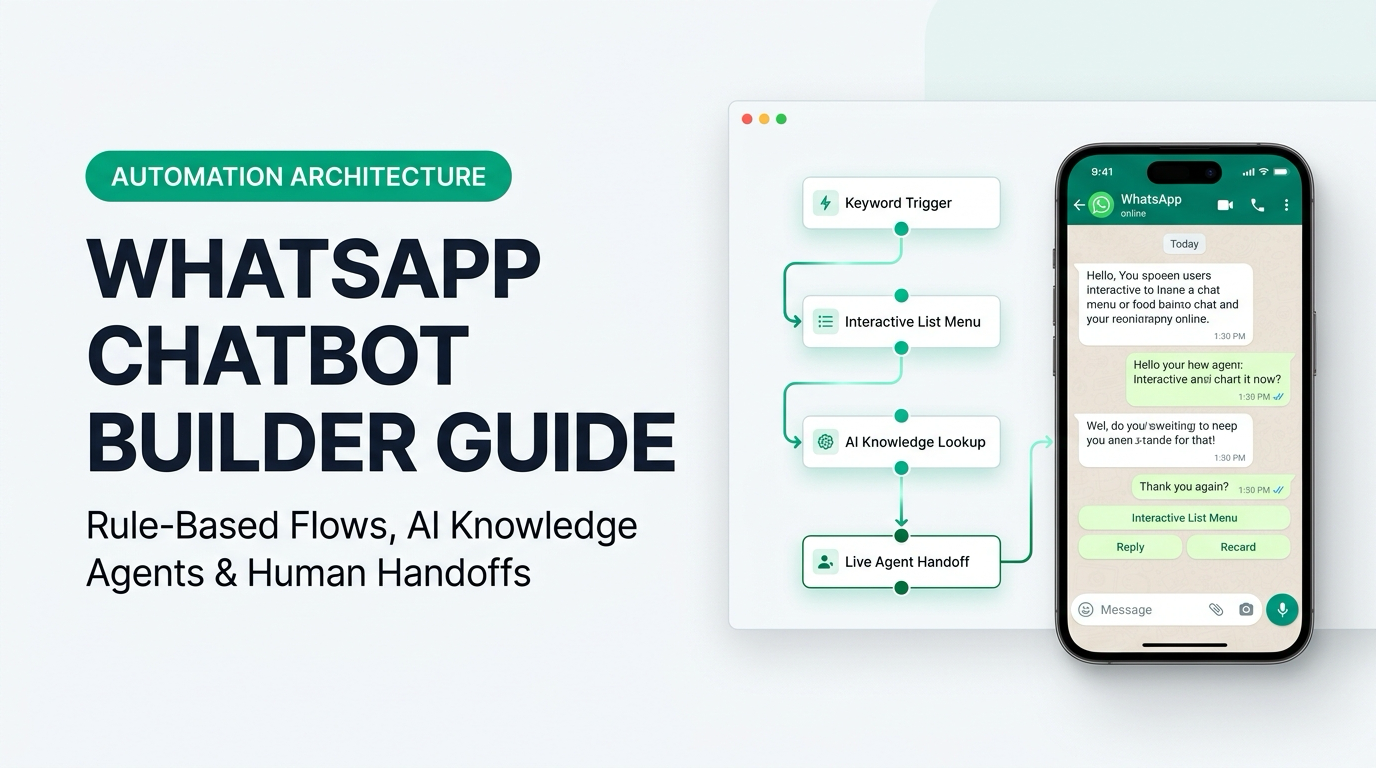
TL;DR: The highest-performing WhatsApp automations in 2026 do not rely purely on rigid number menus ("Type 1 for Support") or purely on unconstrained AI prompts. They use a hybrid architecture inside a visual WhatsApp Chatbot Builder: interactive buttons and native WhatsApp Flows for predictable tasks (order tracking, appointment booking, lead capture), an AI knowledge-base layer for open-ended product questions, and a context-preserving handoff to a human agent when high-value sales or complex issues arise.
Build your first visual WhatsApp bot without paying add-on fees: Explore the AIsoule Visual Chatbot Builder (included in all plans starting at $0 to $6/month).
Get Started →Why Hybrid Chatbots Outperform Old "Type 1 or 2" Trees and Raw LLM Bots
Five years ago, WhatsApp bots looked like command-line terminals: "Reply 1 for Sales, Reply 2 for Order Status, Reply 3 for Return Policy." If a customer typed "Where is my package?" instead of "2", the bot broke and repeated the menu.
On the other hand, connecting a raw AI prompt directly to WhatsApp without deterministic workflow nodes creates a different problem: the AI cannot reliably validate an order number in Shopify, render a native date-picker calendar, or enforce strict compliance steps.
Modern teams solve this by combining three layers on a single visual canvas in AIsoule's Chatbot Builder:

Featured Snippets & Quick Answers: WhatsApp Chatbot Builder
What is a WhatsApp chatbot builder?
A WhatsApp chatbot builder is a visual, no-code flow editor that connects to Meta's official WhatsApp Business Cloud API, allowing businesses to automate customer replies using keyword triggers, interactive buttons, list menus, native forms, API webhooks, and AI agents.
What are the limits on WhatsApp interactive buttons and list messages?
Meta's WhatsApp Cloud API allows up to 3 Quick Reply buttons per message (maximum 20 characters per button title) or a List Message menu with up to 10 selectable rows grouped into sections (maximum 24 characters per row title and 72 characters for row description).
Do WhatsApp chatbot replies cost money on the Cloud API?
No. When a customer messages your business first, Meta opens a 24-hour customer service window. All interactive chatbot replies, media attachments, and native WhatsApp Flows sent inside that active 24-hour window cost $0 in Meta fees.
Choosing the Right WhatsApp Interactive Component for Each Node
Inside AIsoule, every node on your drag-and-drop canvas can send a specific native WhatsApp UI element. Picking the right component prevents user drop-off:

Connecting Live Data With HTTP Webhook Nodes
A chatbot that only gives static answers still leaves 60% of support tickets for human agents. When a customer asks "Where is my order?" or "Is the 3 BHK unit still available?", your flow needs live data.
In AIsoule's flow builder, you drop an HTTP Request / Webhook Node onto the canvas:
- Capture or Read Identifier: Read the customer's WhatsApp phone number (
{{contact.phone}}) automatically or ask for their order ID. - Fire Real-Time GET/POST Request: Query Shopify, WooCommerce, your ERP, or your CRM API with JSON headers.
- Branch on Status Code or JSON Field: If
fulfillment_status == "in_transit", send the live tracking link and expected delivery date; ifstatus == "delayed", escalate immediately to a priority support agent.
How to Design a Frustration-Free Human Agent Handoff
Nothing frustrates a buyer faster than getting trapped in an endless bot loop or being transferred to a human agent who asks, "Hi, how can I help you today?" after the customer already answered four bot questions.
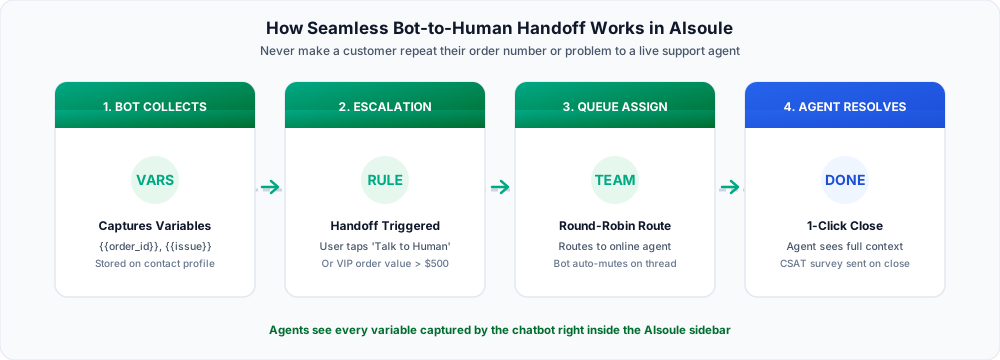
Follow these three handoff rules in every production flow:
- Always offer an explicit "Talk to a Human" escape path: Include a human-support option on your main menu and trigger automatic escalation if the user's message fails validation twice in a row.
- Auto-pause the chatbot when a human agent takes over: As soon as an agent is assigned in the AIsoule Shared Team Inbox, the bot automatically pauses on that conversation so it never interrupts the human agent.
- Pass captured custom attributes to the inbox sidebar: Every button the customer tapped (such as
budget = $50k,city = Mumbai,order_id = #4821) is saved to the contact panel so the agent can close the sale or solve the ticket immediately.
Start building visual WhatsApp chatbots today: Tour the AIsoule Visual Chatbot Builder and AI Chatbot Engine, or launch your free workspace at app.aisoule.com/signup.
Get Started →Frequently Asked Questions
Does AIsoule charge an extra monthly fee for the visual chatbot builder?
No. Unlike competitors such as AiSensy that charge $25 to $40 per month extra as a Flow Builder add-on, AIsoule includes the visual drag-and-drop chatbot builder in its core plans starting at $6/month (and on the Free tier).
How many chatbot flows can I create in AIsoule?
You can build separate flows for welcome greetings, Click-to-WhatsApp ad campaigns, post-purchase order tracking, COD confirmation, and out-of-office hours without artificial flow-count caps.
Can the chatbot trigger a flow when a user taps a button in a broadcast template?
Yes. When you send a broadcast campaign with Quick Reply buttons (for example, [ Claim 20% Offer ]), tapping that button immediately triggers the matching chatbot flow to deliver the coupon code and guide the user to checkout.
Can I combine AI knowledge-base answers with rule-based buttons?
Yes. You can use structured buttons for primary navigation and route open-ended text questions to AIsoule's AI Chatbot node trained on your product documentation and FAQs.
Sources and implementation notes
Check current eligibility, rate cards and account requirements before implementation. Examples illustrate workflows unless linked to a documented customer case study. Migration timing and chat-history availability depend on the account and should be tested.
For pricing and setup details, see AIsoule plans and the help center.
You might also like
How to Create a WhatsApp Chat Link (wa.me) With Pre-Filled Messages for Ads, Instagram, and Websites
Learn how to create a WhatsApp chat link (wa.me) with pre-filled messages. Avoid E.164 formatting mistakes, track lead sources, and use our free WhatsApp Link Generator.
Top AiSensy Alternative for Growing Teams: Included Flow Builder and Direct Meta Billing (2026)
Paying extra for AiSensy
How to Build a WhatsApp AI Chatbot in 10 Minutes (No-Code Guide)
Learn how to build a WhatsApp AI chatbot using a visual no-code chatbot builder. Create chatbot flows, automate conversations, and launch in minutes.
Enjoyed this article?
Get more WhatsApp marketing tips delivered weekly.